Best Website Builders for Freelancers (2026): Build a Portfolio That Actually Wins Clients
The best website builders for freelancers in 2026 is Hostinger for most use cases – it combines the cheapest reliable hosting with one-click WordPress installation, giving you full control at the lowest cost. Squarespace is the better choice if you want a beautiful portfolio without touching any settings. Wix works well for freelancers who want drag-and-drop simplicity with no technical setup.
Your freelance portfolio website is your most important sales tool. It works while you sleep, handles your credibility before a client ever speaks to you, and is the first thing a serious client checks before deciding whether to hire you.
Most freelancers either overthink it – spending months perfecting a website instead of getting clients – or underthink it – using a free platform that signals they are not serious about their business. Neither approach works.
The right website builder lets you build a professional portfolio in a weekend, keeps ongoing costs low and gives you room to grow without migrating platforms later. We evaluated 18 website builders against real freelance requirements – portfolio presentation, contact forms, blog capability, SEO tools, loading speed and total cost of ownership. Seven made this list.
Once your website is live, read our guide to the best AI tools for freelancers – several of which help you create portfolio content and write client-winning copy faster.
Who This Is For and Who Should Skip It
This guide is for you if:
- You are a freelancer who needs a professional online presence to attract clients
- You want to build or upgrade your portfolio website without hiring a developer
- You need a platform that handles both portfolio display and basic blogging or content marketing
- You want to understand the real cost difference between platforms before committing
Skip this if:
- You already have a professional website that is actively generating client enquiries – optimise what you have rather than switching platforms
- You need a full e-commerce store – platforms like Shopify are better suited for product-based businesses than freelance portfolios
- You are a developer, building your own site on a framework like Next.js hosted on Vercel is more appropriate and more impressive to technical clients
What this means for you: A professional website built this weekend on any of the platforms below will outperform no website or a free platform for winning freelance clients.
The 7 Best Website Builders for Freelancers
1. Hostinger – Best overall website builder for freelancers
Best overall Best value
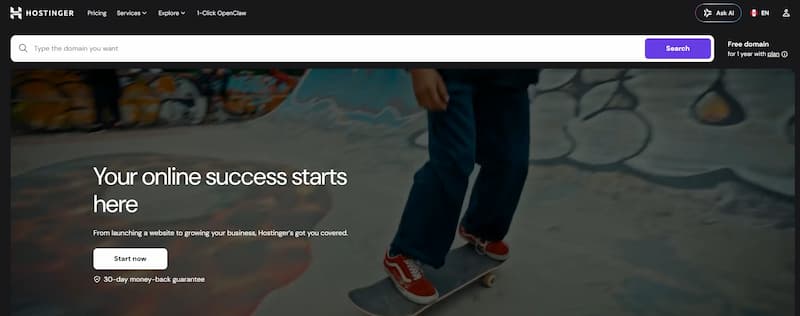
Hostinger is the clearest value proposition in web hosting for freelancers in 2026. Plans start at $2.99/month – significantly cheaper than any comparable alternative and include a free domain name, free SSL certificate, one-click WordPress installation and 24/7 customer support.
The reason Hostinger wins overall is not just price. The hosting performance page loading speed, uptime reliability and server response time matches or exceeds platforms charging 3-4 times more. For a freelancer building a WordPress portfolio, this combination of low cost and strong performance is unmatched.
What works well:
- Price – lowest cost reliable hosting available, starting at $2.99/month
- Free domain included on most plans saves $10-15/year
- One-click WordPress installation portfolio site live within 30 minutes
- LiteSpeed servers significantly faster than most shared hosting competitors
- AI website builder included generates a starter site from a text description
- 99.9% uptime guarantee reliable enough for professional use
What does not work:
- Renewal pricing increases significantly after the first term – factor this into your budget
- The AI website builder produces generic results use WordPress with a quality theme instead
- Customer support quality varies depending on time of day and complexity of issue
Pricing: Premium plan $2.99/month (introductory). Business plan $3.99/month. Prices increase at renewal typically to $7-11/month.
Try it: Visit Hostinger →
What this means for you: Hostinger + WordPress + a quality free theme like Kadence gives you a professional portfolio for under $4/month in year one. No other platform comes close to this value.
2. Squarespace – Best for freelancers who want beautiful design without technical setup
Most visually impressive
Squarespace produces the most consistently beautiful websites of any platform on this list. The templates are genuinely award-winning clean, professional and portfolio-ready out of the box. For freelancers in visual fields – photographers, designers, illustrators, videographers – Squarespace is the strongest choice because the platform itself signals design quality before a client sees a single piece of your work.
The tradeoff is cost and flexibility. Squarespace is more expensive than Hostinger and less flexible than WordPress – you cannot install custom plugins or themes. What you see in the template editor is broadly what you get.
What works well:
- Template quality – the best-looking out-of-box designs available on any platform
- No technical setup required – connect a domain and your site is live
- Built-in blog, portfolio and contact form – everything a freelancer needs included
- Mobile-optimised by default – all templates look excellent on any screen size
- Built-in SEO tools handles the basics without plugins
What does not work:
- Price – $16-23/month is significantly more than Hostinger
- Limited flexibility cannot add functionality beyond what Squarespace offers natively
- Less powerful for blogging and content marketing than WordPress
Pricing: Personal $16/month. Business $23/month. Annual billing saves approximately 30%.
Try it: Visit Squarespace →
What this means for you: Choose Squarespace if your portfolio visual quality matters more than flexibility or cost. Choose Hostinger + WordPress if you want maximum control and lowest long-term cost.

3. Wix – Best for freelancers who want the easiest drag-and-drop experience
Best for beginners
Wix has the most intuitive website editor of any platform on this list. Drag any element anywhere on the page — no grid constraints, no template rules. For freelancers with no web design background who want to build something that looks custom without learning WordPress, Wix delivers.
The free tier exists but is not suitable for professional use — it adds Wix branding to your domain and site. The paid plans are reasonable at $17-29/month and include everything needed for a professional freelance portfolio.
Pricing: Light $17/month. Core $29/month. Annual billing saves approximately 20%.
Try it: Visit Wix →
What this means for you: Wix is the right choice if the WordPress learning curve feels too steep and Squarespace templates feel too rigid. If you are comfortable with some technical setup, Hostinger + WordPress is better value long-term.
4. WordPress.com – Best for freelancers who want WordPress without self-hosting
WordPress.com (not to be confused with WordPress.org, the self-hosted version) offers managed WordPress hosting with a simpler setup process. You get the WordPress ecosystem — themes, some plugins, familiar editor — without managing your own hosting account.
The free tier is limited and adds WordPress branding. The paid plans are more expensive than Hostinger for equivalent functionality. WordPress.com makes sense for freelancers who specifically want WordPress but find self-hosting intimidating.
Pricing: Free (limited). Personal $9/month. Premium $18/month. Business $40/month.
5. Webflow – Best for freelancers who design websites for clients
Webflow is a professional-grade website builder used by designers who want full visual control without writing code. The output is genuinely impressive — pixel-perfect designs that are also fully responsive and SEO-optimised. For freelance web designers and developers, Webflow is both a portfolio tool and a client delivery platform.
It has a steep learning curve — significantly steeper than any other platform on this list. For freelancers who do not design websites professionally, the complexity is not justified.
Pricing: Basic $18/month. CMS $29/month. Business $49/month.
Try it: Visit Webflow →.
6. Format – Best portfolio website builder for photographers and visual artists
Format is built exclusively for creative portfolios, photographers, illustrators, designers and artists. Every template is optimised for displaying visual work beautifully, with gallery layouts, client proofing tools and print selling features built in. For visual freelancers who want a portfolio-specific platform rather than a general website builder, Format is the strongest dedicated option.
Pricing: Lite $7/month. Pro $15/month. Pro Plus $25/month.
7. Carrd – Best for freelancers who need a simple one-page site fast
Best value
Carrd builds beautiful, fast-loading single-page websites for $9/year — not per month, per year. For freelancers who need a clean professional online presence with a contact form and links to their work, Carrd is the fastest and cheapest way to get something live today. It does not replace a full portfolio site but it is dramatically better than nothing while you build something more substantial.
Pricing: Free (limited). Pro $9/year. Pro Plus $19/year.
Try it: Visit Carrd →
How They Compare
| Platform | Best for | Price/month | Free domain | Blog capability | SEO tools | Ease of use | Winner for |
|---|---|---|---|---|---|---|---|
| Hostinger | Best value + WordPress | $2.99+ | ✅ Yes | ✅ Full blog | ✅ Full | Moderate | Best overall ✓ |
| Squarespace | Visual portfolios | $16+ | ✅ Yes | ✅ Good | ✅ Built-in | Easy | Best design ✓ |
| Wix | Drag-and-drop ease | $17+ | ✅ Yes | ✅ Good | ✅ Built-in | Easiest | Beginners ✓ |
| WordPress.com | Managed WordPress | $9+ | Paid plans | ✅ Full blog | ✅ Full | Moderate | WordPress fans ✓ |
| Webflow | Web designers | $18+ | ❌ No | ✅ CMS | ✅ Full | Hardest | Designers ✓ |
| Format | Visual artists | $7+ | ✅ Yes | Limited | Basic | Easy | Photographers ✓ |
| Carrd | Quick one-pager | $0.75/mo | ❌ No | ❌ No | Basic | Easiest | Speed + budget ✓ |
Common Concerns and the Truth
“I need to hire a web designer to build a professional site.” In 2026, this is no longer true for most freelancers. Hostinger with WordPress and a theme like Kadence, or Squarespace with a quality template, produces results that are visually equivalent to custom design work for a fraction of the cost. Spend the money on quality content and professional photos instead.
“My portfolio is not ready yet.” A portfolio with 3 strong pieces of work is more effective than waiting 6 months for 10 pieces. Clients need to see enough to make a decision — not everything you have ever done. Launch with what you have and update it as you work.
“A free website is fine to start.” Free platforms add their branding to your URL (yourname.wixsite.com) and domain (yourname.wordpress.com). This signals to clients that you are not invested in your own business. A professional domain costs $10-15/year. It is not optional for serious client acquisition.
“I’ll switch platforms later when I’m more established.” Switching platforms means rebuilding everything – content, links, SEO authority. Choose the right platform now and avoid migration costs later. Hostinger with WordPress gives you the most room to grow without ever needing to switch.
If This Isn’t Right for You
If you need an e-commerce store alongside your portfolio: Shopify ($39/month) or Squarespace’s Commerce plan ($28/month) handle product selling more robustly than any platform on this list.
If you are a developer: Deploy a Next.js or Astro site on Vercel (free tier available) — the performance and technical credibility signal to developer clients far outweighs any website builder.
Verdict – Which Website Builder for Freelancers Is Actually Worth It

Our clear recommendations
Best overall Hostinger + WordPress – lowest cost, strongest long-term platform, best SEO capability. Takes a weekend to set up properly and scales with your business indefinitely.
Most visually impressive Squarespace – best-looking out-of-box templates, ideal for visual freelancers who want quality design without technical setup.
Best for beginners Wix – easiest editor, no technical knowledge required, suitable for any type of freelance portfolio.
Best budget option Carrd – $9/year for a clean one-page professional site. The best option for getting something live today while you plan a more complete portfolio.
Who should NOT use a paid website builder yet: Freelancers who have not landed their first client. Focus on outreach and getting paid work first. A LinkedIn profile and a PDF portfolio are sufficient at the very beginning a website becomes more valuable once you have case studies and testimonials to put on it.
The right answer for most freelancers is Hostinger + WordPress. It is the lowest cost entry point that gives you a genuinely professional website with room to grow – a blog for content marketing, full SEO control, unlimited plugins and no platform lock-in.
If WordPress feels like too much to set up this weekend, start with Squarespace. It is more expensive long-term but gets you live faster with less friction.
Read next: best project management tools for freelancers – once your website is live, you need a system for managing the clients it brings in.
Frequently Asked Questions
What is the best website builder for freelancers on a budget?
Hostinger is the best value paid option at $2.99/month with a free domain included. For zero monthly cost, Carrd at $9/year builds a clean one-page portfolio. Both are dramatically better than free platforms that add third-party branding to your URL.
Do freelancers actually need a website in 2026?
Yes, but the requirement depends on your field. For designers, photographers, writers and developers, a portfolio website is expected by serious clients. For freelancers selling services on platforms like Upwork or Fiverr, a website is less critical initially but becomes more valuable as you move toward direct client relationships.
How long does it take to build a freelance portfolio website?
With Squarespace or Wix, a professional portfolio can be live in 4-6 hours. With Hostinger and WordPress, expect 6-10 hours including theme setup and content creation. Both timelines assume you have content case studies, bio and contact information ready to add.
Is Hostinger good enough for a professional freelance website?
Yes. Hostinger’s performance loading speed, uptime and server reliability is competitive with hosting providers charging 3-4 times more. The lower price does not indicate lower quality. It reflects a lower-overhead business model. Chosora.com runs on Hostinger.
Should freelancers use WordPress or a website builder?
WordPress via Hostinger gives you more long-term flexibility, stronger SEO capability and lower platform risk you own your site completely. Website builders like Squarespace and Wix are faster to set up but lock you into their platform and pricing. For freelancers who plan to use content marketing to attract clients, WordPress is the stronger long-term choice.
Final Thoughts
The best website builder for freelancers is the one that gets your portfolio live this week not the perfect platform you spend three months researching.
Every platform on this list is capable of producing a professional freelance website. The differences between them matter far less than actually having a site that represents your work clearly and makes it easy for clients to contact you.
Start with Hostinger and WordPress if you want the most capable long-term platform. Start with Squarespace or Wix if you want to be live by the weekend with minimal technical effort. Start with Carrd if you need something professional today at the lowest possible cost.
Then focus on what actually wins clients: strong case studies, clear positioning and consistent outreach. The website is the frame. Your work is what fills it.
FREE WEEKLY PICKS
Get the best tools for freelancers – before everyone else
Only what’s worth your time and money. No spam. No fluff. Ever.
Join thousands of freelancers and creators. Unsubscribe anytime.
best website builders for freelancers. best website builders for freelancers.best website builders for freelancers.best website builders for freelancers.best website builders for freelancers.best website builders for freelancers.best website builders for freelancers.best website builders for freelancers. best website builders for freelancers.best website builders for freelancers.best website builders for freelancers.best website builders for freelancers.best website builders for freelancers.best website builders for freelancers.
best website builders for freelancers. best website builders for freelancers.best website builders for freelancers.best website builders for freelancers.best website builders for freelancers.best website builders for freelancers.best website builders for freelancers.
best website builders for freelancers. best website builders for freelancers.best website builders for freelancers.best website builders for freelancers.best website builders for freelancers.best website builders for freelancers.best website builders for freelancers.